Introduction
Microsoft Teams has become a core collaboration platform for organizations ranging from small businesses to large enterprises. It has made everything from everyday communication and meetings to calling, file sharing, applications, and workflow management smoother than ever.
But widespread adoption does not necessarily make Microsoft Teams customers easy to identify. Technology data can quickly become outdated, while public sources often provide limited or unverified evidence of a company’s current platform usage.
The article provides credible, evidence-based insights into organizations using Microsoft Teams, supported by verified company examples and proof-of-use information. It examines how Teams adoption varies across industries and explores practical departmental use cases, helping readers understand where and why the platform is being used in real-world business environments.
The analysis also covers the key features and integrations that support Teams adoption, along with the professional roles and relevant decision-makers involved in evaluating, implementing, and using the technology. This provides a clearer picture of the technology environment within prospective accounts.
As technology usage data can change over time or may lack sufficient supporting evidence, the article also highlights important data-verification considerations. For B2B sales and marketing teams, these insights provide a more reliable foundation for validating technology signals, understanding prospect needs, and engaging decision-makers with greater context.
What Is Microsoft Teams Software?
Microsoft Teams software is a collaboration and communication platform that helps organizations manage workplace conversations, meetings, calling, files, applications, and workflows in one connected environment. It is available across desktop, web, and mobile devices. Its connection with Microsoft 365 is particularly relevant for businesses already using applications such as Outlook, SharePoint, OneDrive, and other Microsoft services.
Teams supports chat and messaging for everyday communication. Its video meeting and voice calling capabilities support both internal and external communication, while file sharing and real-time collaboration allow employees to work on documents within the same environment. Organizations can also use Microsoft Teams software for webinars and virtual events, extend its functionality through applications and agents, and collaborate with external users and guests when working with customers, partners, or suppliers.
Microsoft Teams is commonly used by Information Technology & Services, Business and Professional Services, the manufacturing industry, Finance & Insurance companies, the educational sector, and Healthcare organizations.
Why Do Companies Use Microsoft Teams?
Remote work didn’t just change where people worked. It changed who they worked with and how they worked. Microsoft Research found that collaboration time between employees and people outside their immediate groups dropped by about 25% after the shift to remote work. That matters because innovation and information sharing often depend on connections beyond an employee’s usual circle.
For organizations operating across hybrid, remote, and distributed work environments, Microsoft Teams provides a centralized platform for communication and collaboration. Employees can connect through chat, meetings, calls, and shared workspaces. Integration with the broader Microsoft 365 ecosystem brings applications, files, calendars, and workflows together in a connected environment.
Teams also offers an extensive application ecosystem that supports integrations with business tools and third-party services. Its capabilities extend to frontline and hybrid workers, helping organizations maintain consistent communication across different locations and work settings. Enterprise-grade security and compliance controls provide additional protection for business communications, collaboration, and shared information.
List of Organizations That Use Microsoft Teams
Microsoft reported that Teams had approximately 360 million monthly active users in June 2025, showing how far the platform has moved beyond the typical office meeting.
The organizations below range from a few hundred employees to enterprises with workforces numbering in the hundreds of thousands. Some operate from a handful of locations; others have employees, offices, customers, and operations spread across countries.
| Sl. No | Company | Website | Headquarters | Turnover (in $) | Employees | Industry |
|---|---|---|---|---|---|---|
| 1 | VITAS Healthcare | www.vitas.com | Miramar, Florida | 1.6 B | 6500 | Healthcare |
| 2 | CVS Health | www.cvshealth.com | Woonsocket, Rhode Island | 402.1 B | 300,000 | Healthcare |
| 3 | Fresenius | www.freseniusmedicalcare.com | Bad Homburg vor der Höhe, Germany | 22.58 B | 112,000 | Healthcare |
| 4 | Cumbria, Northumberland, Tyne and Wear NHS Foundation Trust | www.cntw.nhs.uk | St. Nicholas Hospital, Tyne and Wear | 877 M | 9000 | Healthcare |
| 5 | BCI Management Corporation | www.bci.ca | Victoria, capital of British Columbia | 313.7 B (gross AUM) | 750 | Financial Services |
| 6 | Export Development Canada | www.edc.ca | Ottawa, Ontario | 135 B | 3000 | Financial Services |
| 7 | Jefferies Financial Group Inc | www.jefferies.com | New York | 8.34 B | 8000 | Financial services |
| 8 | Hokkoku Bank | www.hokkokubank.co.jp | Kanazawa, Japan | 688 M | 193 | Financial Services |
| 9 | University of Lincoln | www.lincoln.ac.uk | Lincolnshire, UK | 298 M | 2500 | Education |
| 10 | University of Strathclyde | www.strath.ac.uk | Scotland, UK | 586 M | 3500 | Education |
| 11 | Edith Cowan University | www.ecu.edu.au | Joondalup Campus, Western Australia | 781 M | 781 M | Education |
| 12 | University of Maryland | https://umd.edu/ | 7901 Regents Drive, Main Administrative Building | 2.5 B | 14,000 | Education / Healthcare |
| 13 | University of South Florida | www.usf.edu | Tampa, Florida | 6 B | 16,000 | Education |
| 14 | Nevada Department of Transportation | dot.nv.gov | Carson City, Nevada | 485 M | 3000 | Government and public administration industry |
| 15 | City of Ottawa | www.ottawa.ca | Ottawa, Ontario | 4.8 B | 17000 | Government and public administration industry |
| 16 | Recreational Equipment | www.rei.com | Washington | 3.54 B | 13000 | Retail |
| 17 | Walgreens Boots Alliance | www.walgreens.com | Deerfield, Illinois, USA | 147 B | 250,000 | Retail / Healthcare |
| 18 | Levi Strauss & Co. | www.levistrauss.com | San Francisco | 6.61 B | 19,000 | Retail |
| 19 | IKEA | www.ikea.com | Delft, Netherlands | 52 B | 222,000 | Retail |
| 20 | Johnson Controls | www.johnsoncontrols.com | Cork, Ireland | 25 B | 87,000 | Manufacturing |
| 21 | Azbil Telstar | www.azbil.com | Barcelona, Spain | 126 M | 1,400 | Manufacturing |
| 22 | RGP Europe | https://rgp.com/europe/ | London, UK | 452 M | 200 | Professional Services |
| 23 | Altares | www.altares.nl | Colombes, France | 67.6 M | 500 | Professional Services |
| 24 | Wipro | www.wipro.com | Bengaluru, India | 9.9 B | 243,044 | IT Services and Consulting |
| 25 | McLaren | www.mclaren.com | Surrey, England | 614 M | 5,200 | Construction |
How Was Each Customer Verified as a Microsoft Teams User?
An evidence-led research process helps distinguish confirmed Microsoft Teams users from assumptions. The process starts with a direct Teams usage signal, followed by a check that the evidence belongs to the correct company and domain. The original publication date is reviewed, and newer sources are considered to determine whether the reported use is still active.
Evidence is drawn from company websites, job postings, integrations, technology databases, directories, industry publications, and other established channels, with additional sources and manual checks used for validation.
A further review confirms that the evidence specifically relates to Teams rather than Microsoft 365 more broadly. Each record captures the documented use case and clearly identifies historical or inconclusive findings. Stronger sources, such as official company announcements and Microsoft customer stories, take priority over job descriptions, partner case studies, procurement documents, and credible technology sources.
Outdated databases and unverified listings do not qualify as confirmation. Responsible data practices, along with applicable privacy and outreach requirements, are incorporated throughout the research process.
How Is Microsoft Teams Used Across Industries?
Microsoft Teams does not serve the same purpose in every industry. Healthcare organizations may use Teams primarily for care coordination and clinical communication. Retailers, by comparison, often rely on it to connect frontline employees with store and regional teams, whereas manufacturers may use it across plant operations, maintenance, and production workflows. These differences make industry-level analysis more meaningful than simply measuring the number of organizations using Microsoft Teams.
So, how should Microsoft Teams adoption be analyzed across these industries?
A useful approach is to consider a few broader questions:
1. Why does the industry need Microsoft Teams?
Is adoption driven by distributed teams, multiple locations, frontline operations, regulatory requirements, or the need for faster communication?
2. Who uses Microsoft Teams?
Which roles depend on Teams as part of their day-to-day work? For example, HR may use it for onboarding and employee communication, IT for support and administration, project teams for coordination and document sharing, and leadership teams for meetings and decision-making.
3. What is Microsoft Teams being used for?
Is it primarily used for meetings and messaging, or does it also support care coordination, project management, document sharing, training, approvals, scheduling, and daily operations?
4. What security and operational requirements matter?
How do data protection, access controls, compliance, integrations, and industry-specific workflows influence Teams adoption?
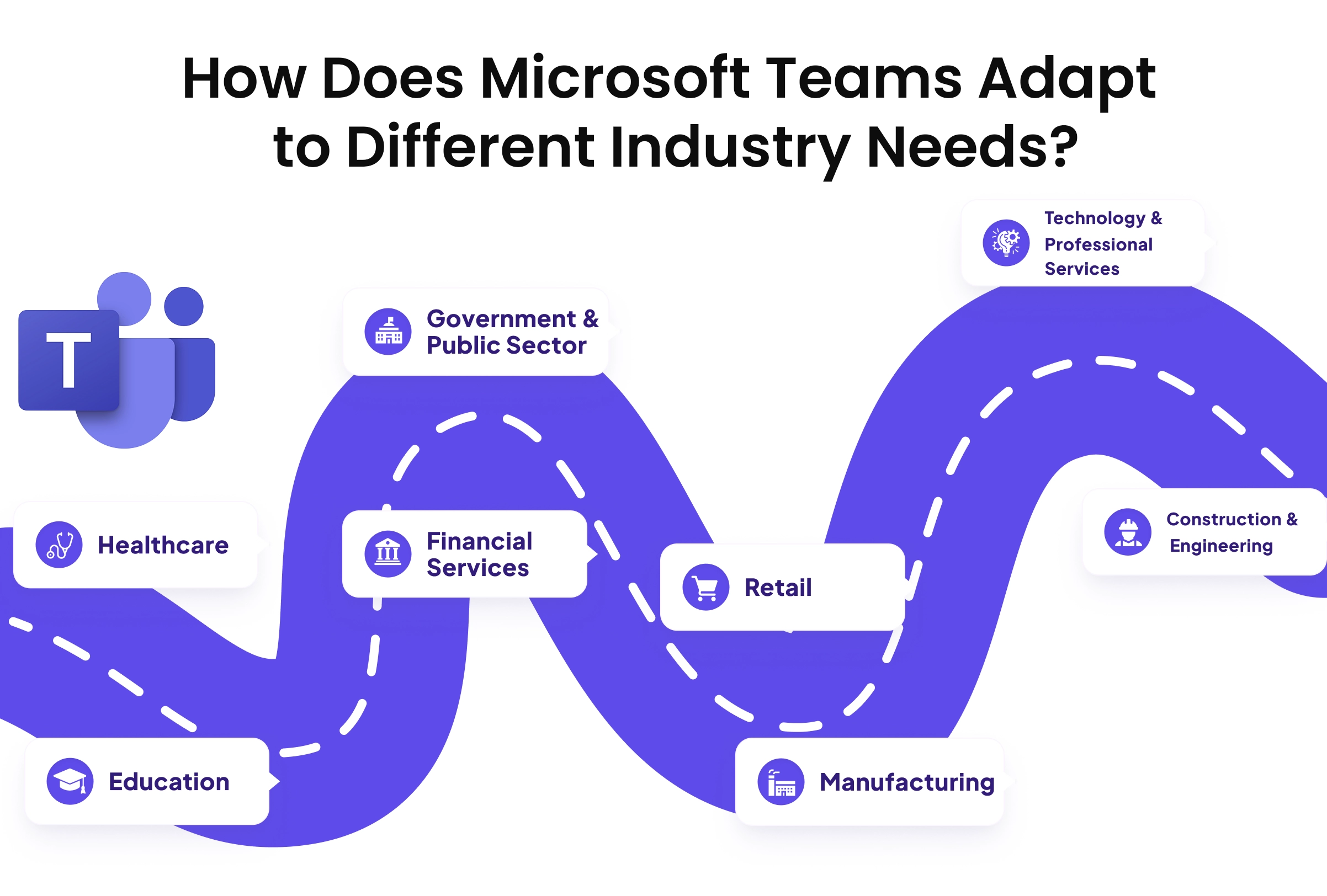
How Does Microsoft Teams Adapt to Different Industry Needs?
Understanding the business problem, users, use cases, and operational needs gives a clearer picture of what Teams actually means within each industry.
| Healthcare | |
|---|---|
| Why Teams is used | Coordinate care teams and frontline staff across clinical settings. |
| Use cases | Care coordination, virtual visits, EHR-connected appointments, clinical messaging, shift communication |
| Main users | Physicians, nurses, care coordinators, clinical operations managers, hospital administrators, IT managers |
| Key decision-makers | CIOs, CMIOs, CTOs, Clinical IT Directors, Healthcare IT Managers, Chief Nursing Officers |
| Financial Services | |
|---|---|
| Why Teams is used | Connect teams while maintaining tighter control over regulated information. |
| Use cases | Cross-location collaboration, branch communication, employee onboarding, business processes, knowledge sharing |
| Main users | Financial advisors, relationship managers, branch managers, operations analysts, compliance officers, risk managers |
| Key decision-makers | CIOs, CTOs, CISOs, Heads of IT, Compliance Directors, Digital Transformation Leaders |
| Education | |
|---|---|
| Why Teams is used | Bring teaching, learning, and institutional collaboration into one environment. |
| Use cases | Classes, assignments, faculty collaboration, research, staff teams, student groups |
| Main users | Teachers, professors, researchers, academic coordinators, administrators, IT staff |
| Key decision-makers | CIOs, IT Directors, CTOs, Deans, Heads of Digital Learning, Education Technology Managers |
| Government & Public Sector | |
|---|---|
| Why Teams is used | Coordinate departments, agencies, and distributed public-service teams. |
| Use cases | Interdepartmental work, incident response, policy collaboration, document sharing, staff communication |
| Main users | Policy analysts, civil servants, program managers, department administrators, field officers, IT staff |
| Key decision-makers | CIOs, CTOs, CISOs, IT Directors, Digital Transformation Officers, Procurement Directors |
| Retail | |
|---|---|
| Why Teams is used | Why Teams is used Connect stores and frontline workers with regional and corporate teams. |
| Use cases | Use cases Product and policy updates, shift coordination, frontline training, store communication, operational updates |
| Main users | Main users Store associates, store managers, district managers, merchandising teams, HR managers, operations staff |
| Key decision-makers | Key decision-makers CIOs, CTOs, Retail IT Directors, Digital Transformation Leaders, Operations Directors, HR Directors |
| Manufacturing | |
|---|---|
| Why Teams is used | Why Teams is used Connect frontline workers with plant, engineering, and corporate teams. |
| Use cases | Use cases Shift management, production updates, maintenance, safety, approvals, task tracking, workforce training |
| Main users | Main users Plant operators, production supervisors, process engineers, maintenance technicians, supply chain managers, safety coordinators |
| Key decision-makers | Key decision-makers CIOs, CTOs, Plant Managers, IT Directors, Operations Directors, Manufacturing Technology Leaders |
| Construction & Engineering | |
|---|---|
| Why Teams is used | Why Teams is used Keep project information moving between sites and office teams. |
| Use cases | Use cases Site coordination, design reviews, project meetings, drawings and document sharing, contractor communication |
| Main users | Main users Project managers, civil engineers, architects, site supervisors, construction managers, contractors |
| Key decision-makers | Key decision-makers CIOs, CTOs, IT Directors, Project Directors, Construction Technology Managers, Digital Transformation Leaders |
| Technology & Professional Services | |
|---|---|
| Why Teams is used | Why Teams is used Keep project teams and client-facing work connected across locations. |
| Use cases | Use cases Software development, consulting projects, client meetings, knowledge sharing, project collaboration |
| Main users | Main users Software engineers, consultants, project managers, solution architects, account managers, business analysts |
| Key decision-makers | Key decision-makers CIOs, CTOs, IT Directors, Heads of Engineering, Digital Transformation Leaders, Professional Services Directors |
What Are Some of the Advanced Microsoft Teams Capabilities?
Microsoft Teams has evolved from a basic chat and meeting tool into an extensible platform for enterprise collaboration and digital workflows. AI-driven capabilities such as Intelligent Recap can generate meeting summaries, action items, and task lists, helping teams turn conversations into follow-up work. Live interpretation can also support multilingual collaboration across distributed teams.
Teams extends into immersive collaboration through experiences such as Mesh and Together Mode, creating more engaging virtual meeting environments. Microsoft Teams Rooms brings collaboration into physical meeting spaces, and Copilot Studio enables organizations to build custom AI agents that work within Teams channels, automate administrative tasks, and connect with external applications.
The expansion of Teams across communication, applications, AI, and physical workspaces makes administration and governance increasingly important. Organizations need controls for permissions, applications, external access, policies, security, compliance, and data protection.
What Security and Compliance Considerations Apply to Microsoft Teams?
Once companies start using Microsoft Teams and it becomes part of daily communication, security becomes a bigger consideration. Organizations need control over who can access Teams, what they can access, and how external users collaborate.
That is where identity controls, MFA, Conditional Access, and guest access come in. They help organizations manage access across users, devices, locations, and external collaborators.
The same thinking applies to the information moving through Teams. Encryption, retention, auditing, DLP, eDiscovery, and communication compliance help organizations manage that data over time. Third-party apps need a similar review, since their permissions can determine what company information they can access.
Who Makes Microsoft Teams Purchasing Decisions?
Microsoft Teams purchasing decisions often involve several stakeholders, with IT typically leading the evaluation. CIOs, CTOs, and IT Directors assess technical requirements, Microsoft 365 integration, security, compliance, and administrative controls. Procurement and finance teams then consider licensing, contract terms, budget requirements, and options such as Teams Phone and other add-ons.
Business leaders and department heads bring a different perspective, focusing on how Teams can support collaboration, communication, and productivity across specific functions or distributed teams. Security and compliance teams review data governance, privacy requirements, and organizational policies before approving the purchase. Executive leadership may ultimately influence or approve the investment, particularly for larger deployments. The decision-making process can vary based on organizational size, deployment scope, and the complexity of the existing technology environment.
What Can Vendors Offer Companies that Use Microsoft Teams?
Microsoft Teams creates opportunities for vendors to extend the platform beyond its core communication and collaboration capabilities. As organizations expand their Teams adoption, they often look for third-party applications and specialized services that connect Teams with existing business systems and workflows.
Key opportunities include contact center solutions, productivity and planning tools, workflow automation, security and direct-routing services, and CRM integrations. Vendors can integrate tools such as project management, customer relationship management, and collaboration applications directly into Teams. Contact center providers can extend Teams Phone with advanced call routing and queue management, and automation platforms can connect Teams with external databases and business systems.
The strongest opportunities often emerge where Teams becomes part of a broader business process. Vendors that can solve specific operational, industry, security, or integration needs can build additional value around the Teams ecosystem.
Conclusion
Identifying organizations that use Microsoft Teams is only the starting point. Verifying current usage, understanding how Teams fits into each industry, and adding company and decision-maker context provides a clearer picture of each account. A well-researched list of organizations using Microsoft Teams can support more focused account research, segmentation, and prospecting.
FAQs
What is included in InfoClutch’s Microsoft Teams customer list?
A Microsoft Teams customer list includes verified companies, business details, industry information, contact data, departments, job titles, and decision-maker information. These details make the list more useful for targeted account research and outreach.
Can the Microsoft Teams Customer list be customized?
Yes. Microsoft Teams customer data can be filtered using InfoClutch’s 70+ filters such as industry, company size, revenue, location, technology environment, and decision-maker roles.
Can Microsoft Teams customers be targeted by region?
Yes. Area-specific filters support global prospecting and help identify relevant customers across specific countries, regions, and markets.
How frequently is the customer data updated?
Data is updated every 45 days to help keep company, contact, and technology information current.
Is the Microsoft Teams customer data compliant with global data laws?
The data is sourced and maintained with applicable global data privacy and compliance requirements in mind, supporting responsible business outreach.
Can the data support multichannel marketing?
Yes. The customer data can support prospecting and campaigns across multiple channels, helping teams reach relevant accounts through their preferred outreach strategies.
What deliverability can businesses expect?
InfoClutch states a 95% deliverability rate, helping sales and marketing teams improve the usability of contact data and reduce wasted outreach.