QuickBooks Business Usage at a Glance
-
Who uses QuickBooks?
Small business owners, self-employed professionals or solopreneurs, freelancers, and companies of all sizes use QuickBooks to track expenses and income, send custom invoices, and organize financial data. Accountants and bookkeepers also use it to document financial data for multiple clients on a single platform. -
Which industries use it?
QuickBooks is a highly user-friendly software designed with the needs of various industries in mind, such as manufacturing, wholesale, construction, retail, churches, restaurants, legal, and non-profit. -
What do businesses manage with it?
Businesses use QuickBooks to track finances effectively by consolidating financial data, automating routine tasks, and minimizing duplicate entries on a single connected platform. Beyond managing payments and employee payrolls, QuickBooks provides a comprehensive view of the company’s financial performance by gathering all the information needed for better decision-making. -
Which versions are used?
QuickBooks has several products for different business needs. QuickBooks Online comes in Simple Start, Essentials, Plus, and Advanced, from basic bookkeeping to more advanced accounting. QuickBooks Solopreneur is for freelancers and one-person businesses. Desktop Enterprise is for larger businesses with more complex needs. QuickBooks Payroll handles employee payroll, QuickBooks Time tracks employee hours, and QuickBooks for Accountants is for accounting professionals managing multiple clients. -
What does this article provide?
The article provides an overview of who uses QuickBooks, which products they use, how different industries use the software, and what business workflows it supports. It also covers examples of companies that use QuickBooks, how those companies were verified, who makes purchasing decisions, and what B2B vendors can offer QuickBooks users.
Introduction
Do you or your team rely on fragmented spreadsheets for bookeeping, trying to figure out the numbers and piecing together unorganized records for tax filing?
Well, you’re not alone. Many businesses still juggle manual entries to document financial transactions, but the successful ones are embracing tech-savvy solutions like QuickBooks to simplify financial management and gain complete visibility into their financial landscape hassle-free.
QuickBooks is more than a helping hand for accountants; it is a comprehensive accounting and business finance software that enables small and mid-sized businesses to track cash flow, manage financial transactions, handle payroll, and summarize financial reports. Companies using QuickBooks include small businesses, start-ups, and self-employed professionals across the United States of America, Canada, and the United Kingdom.
QuickBooks software is designed to meet different industry needs, from retail and e-commerce to construction and contracting, real estate, and manufacturing. In practice, businesses using QuickBooks can document expenses, track and pay bills before the due date, and generate invoices. Thus, reaching out to key decision-makers at companies that use QuickBooks is crucial.
Security is a key consideration. QuickBooks helps secure businesses through authentication/MFA, encrypted bank connections, user permissions, and audit trails to help businesses protect sensitive financial information.
Below we break down the top industries and companies using QuickBooks.
What Is QuickBooks?
QuickBooks is a leading accounting software developed by Intuit for small and growing businesses as well as freelancers and self-employed professionals. It offers solutions to manage finances efficiently. QuickBooks can help document expenses, accept payments, run payrolls, and generate professional invoices. Intuit has reported around 6.5 million QuickBooks Online subscribers worldwide.
The biggest advantage of QuickBooks is that it allows businesses to store all their financial information in one place. It saves time by automating manual tasks and minimizing duplicate entries. This benefits businesses by providing an overview of the business’s present conditions and supporting informed decision-making.
QuickBooks includes several features designed to make financial management easier, including:
1. Accounting and bookkeeping
Miscalculations, inaccurate records, and tax compliance penalties can jeopardize businesses and lead to financial mismanagement. To avoid this, QuickBooks customers can safely connect to their bank account, track every dollar coming in and out, classify transactions, and identify taxable expenses.
2. Customer invoicing and payments
Delayed payments can be frustrating because they disrupt cash flow. QuickBooks enables users to create customized invoices with their company logo and colors and trigger automatic reminders and follow-ups for overdue payments. According to customer feedback, 89% of customers say QuickBooks makes it easy for them to create, send, and manage invoices.
3. Expense tracking & receipt management
Tracking receipts and keeping tabs on every minute expense can be laborious. QuickBooks allows users to upload pictures of receipts or bills directly to the platform, providing instant access to cash flow statements for better financial visibility and forecasting.
4. Bank feeds
QuickBooks connects bank accounts to import transactions, centralizing finances in one place and drastically reducing errors. Clients who have connected their bank to this feature save an average of 10 hours per week, according to QuickBooks.
5. Financial reporting
Access to key reports like a profit-and-loss statement is essential for business operations. Businesses using QuickBooks can generate customizable reports, track cash movement, and analyze business finances.
6. Inventory tracking
Retail companies cannot afford to go out of stock or get stuck with inventory that won’t sell. QuickBooks users can manage inventory levels by sending alerts when quantities run low.
7. Payroll
Tracking employees’ attendance and tax compliance can be a hassle. Here’s where QuickBooks helps. Companies using QuickBooks can deposit salaries for their teams immediately while keeping enough in hand and staying tax compliant.
8. Project and job profitability
QuickBooks enables project supervision by consolidating overheads, labor costs, and payroll in one place. Companies using QuickBooks can analyze job profitability and identify areas for improvement.
Understanding the QuickBooks Product Ecosystem
QuickBooks offers a suite of robust financial tools to streamline business operations and minimize manual accounting errors. Here are a few:
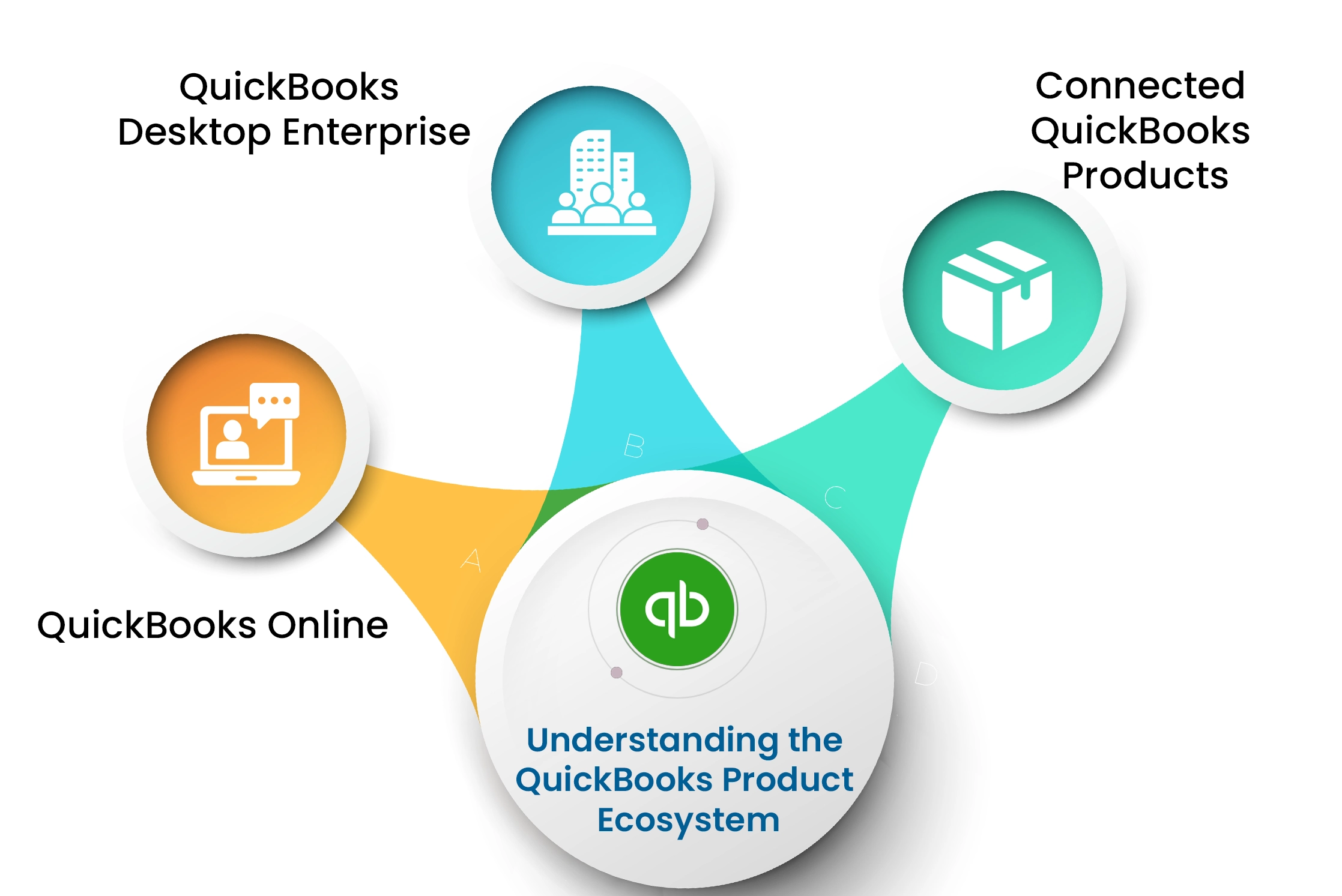
QuickBooks Online
Growing companies often face challenges with fragmented spreadsheets and manual accounting, which can lead to errors. The QuickBooks Online ecosystem can streamline your financial processes in real time, increasing efficiency by integrating over 800 third-party apps in a single platform. It is easy to set up and has an intuitive layout.
Further, QuickBooks Online provides a cloud-based infrastructure allowing users to access it anywhere, anytime. Some of the key capabilities are
- Data can be synced with compatible third-party platforms.
- Bank accounts can be securely connected, allowing transactions to be imported and categorized.
- Expenses and receipts can be tracked end to end.
- Personalized invoices can be created and shared, with mobile alerts notifying users once invoices are paid.
- Lastly, financial reports can be generated to analyze the company’s financial health and support decision-making.
For larger businesses with complex needs, QuickBooks Online Advanced offers enhanced, deeper insights, personalized workflows, and effortless collaboration.
The advanced version helps:
- Generate batch invoices 37% faster and send them to multiple clients hassle-free.
- Receive push notifications to complete tasks and approve invoices, optimizing workflows.
- Use custom report builders to summarize KPIs and critical information, giving a complete overview of business performance.
QuickBooks Desktop Enterprise
QuickBooks Desktop Enterprise provides real-time visibility into business operations, helping businesses manage inventory processes efficiently. The features include
- Real-time visibility into warehouse operations, including product type, location, availability, and inventory levels.
- End-to-end Sales order management.
- Storage of pricing, pre-order payments, and customer information.
QuickBooks also includes several features to manage payroll, projects, users, and reporting:
- Calculate earnings, taxes, and deductions; prepare payroll, and file taxes.
- Track and assign project expenses such as labor, materials, and overhead.
- Compare estimated and actual costs, and monitor profitability.
Manage up to 40 users to delegate tasks and handle multiple workflows simultaneously, including sales order management and bill payment.
Connected QuickBooks Products
QuickBooks products such as Payments, Payroll, and Checking streamline your operations by integrating functions into a single platform. Let’s take a look at some of them:
- QuickBooks Payments enables businesses to prepare and schedule customer invoices, track inconsistent payment patterns, accept payments in various forms, and send follow-ups regularly.
- QuickBooks Payroll automates payroll and takes care of taxes.
- QuickBooks Time tracks employee billable hours and shares detailed reports about time spent on projects and customers.
- QuickBooks Checking links a business bank account to QuickBooks to make it easier to receive payments, track cash movement, and manage spending.
- QuickBooks integrates with e-commerce platforms like Shopify, Amazon, and WooCommerce to ensure seamless data flow.
What Types of Companies Use QuickBooks?
QuickBooks has been developed to assist different types of businesses that include:
- Small and mid-sized growing companies seeking a system to manage expenses efficiently
- Solopreneurs and freelancers requiring income tracking and customized invoicing
- Nonprofit organizations managing donations, grants, and other expenditures
QuickBooks offers 4 major product tiers that vary by team size or number of users, transaction volume, and feature integration.
-QuickBooks Online Simple Start is ideal for solopreneurs or proprietors who require expense tracking and want to remain tax compliant. Companies using QuickBooks Online can explore unlimited estimates, customize invoices, and generate up to 20 business health assessments.
-QuickBooks Online Essentials is appropriate for small businesses, allowing up to 3 users and employee tracking. Additional features include vendor bill management, automated payments, multi-currency transactions, and over 40 in-depth financial analyses.
-QuickBooks Online Plus is designed for small businesses with seasoned needs and supports access for up to 5 users. Features include stock tracking, inventory management, income and expense profitability insights, and 65 extensive business reports.
-QuickBooks Advanced is ideal for handling high-volume businesses. It supports 25 users, granting advanced permissions and business tracking. It includes classes and 10 custom fields for the purpose of tracking. This version offers priority support, resources, and 5 QuickBooks courses worth $2000 for business management.
List of Top 10 Companies Using QuickBooks
Companies use QuickBooks to manage their finances, payroll, invoices, and payments across multiple sectors. Here are some verified examples of companies using QuickBooks across construction, retail, travel, healthcare, food, and professional services sectors.
| Sl. No | Company name | Industry | Website | Location | Revenue |
|---|---|---|---|---|---|
| 1 | Coalition Technology | Advertising services | coalitiontechnologies.com | United States | $54.1M |
| 2 | EisnerAmper LLP | Accounting | eisneramper.com | United States | $1B |
| 3 | Shahla Karimi | Jewelry | shahlakarimi.com | United States | $1.8M |
| 4 | SERVPRO | Consumer services | servpro.com | United States | $2B |
| 5 | MEC, INC. | Electric services | mecinc.com | United States | $546.5M |
| 6 | Farm to people | Retail | farmtopeople.com | United States | $20M |
| 7 | Western Companies | Heavy Equipment | westerntruck.com | United States | $36M |
| 8 | E-business International Inc. | Manufacturing | www.ebintl.com | United States | $95.7M |
| 9 | MenAtWork | Construction | menatwork.ca | Canada | $6M |
How InfoClutch Verified the Data?
We adopted a human and AI-verified process to review the companies using QuickBooks. We verified these companies through web directories & corporate fillings, business conferences, surveys & feedback forms, and publicly available data demonstrating proof of QuickBooks usage.
How Industries Use QuickBooks
QuickBooks offers precise tools to help solve specific industry challenges. The following section illustrates how industries benefit from QuickBooks usage:
QuickBooks in Accounting and Bookkeeping
QuickBooks assists accounting teams in managing monotonous, time-consuming tasks such as recording and reporting financial transactions. It automates routine processes such as data entry tasks and simplifies month-end work for accountants. QuickBooks supports a range of accounting needs that include:
- Tracking income and expenses, documenting transactions, preparing financial reports, creating invoices, and organizing receipts.
- QuickBooks Online Advanced supports features such as batch transactions, workflow automation, project profitability, and fixed-asset tracking for growing businesses.
- QuickBooks Online Accountant offers professional accounting tools to review client accounts, prepare for taxes, and generate reports.
Typically, the relevant decision-makers in accounting are CFOs, accounting managers, CPA firm partners, and SMB owners.
QuickBooks in Construction and Contracting
Construction companies use QuickBooks products to keep tabs on project costs, budget in hand, invoices, and how much profit they make. QuickBooks compares estimated costs with actual spending and sends alerts for upcoming or due payments. QuickBooks’ capabilities support:
- Job costing, time tracking, payroll, and project report generation through workflows.
- QuickBooks Online Plus and Advanced support project costing, while QuickBooks Online Advanced introduces features like WIP reports and phase-level tracking.
- QuickBooks Time is useful for field crews, allowing employees to track hours by job and supporting managers to connect labor costs to projects.
The primary decision-makers in construction are general contractors, CFOs, and project managers.
QuickBooks in Retail and Ecommerce
Retail and e-commerce businesses use QuickBooks to manage inventory levels and keep up with stock so that they don’t run out of bestsellers. Companies using QuickBooks Online can also integrate with e-commerce platforms to stay up to date on sales and inventory data. QuickBooks can support a wide range of retail needs that include:
- Inventory tracking, purchase order management, expense management, payroll, and reporting, all handled in one place.
- QuickBooks Online Plus and Advanced assist in inventory tracking, while QuickBooks Desktop Enterprise integrates with Shopify, Amazon, and WooCommerce.
Retail decision-makers are usually retail operations managers, inventory control managers, and retail owners.
QuickBooks in Manufacturing, Wholesale and Distribution
Manufacturers, wholesalers, and distributors often use QuickBooks to oversee manufacturing operations, including inventory management, sales orders, and production costs. A comprehensive view of stock levels and product costs across warehouses is essential for running the business smoothly. Its manufacturing capabilities include:
- Pricing, inventory tracking, barcode scanning, vendor management, order fulfillment, and financial reporting.
- QuickBooks also tracks bills of materials, labor, shipping, and production costs.
- QuickBooks Online Plus and Advanced include features such as inventory tracking, while QuickBooks Desktop Enterprise Manufacturing & Wholesale is designed for large-scale businesses with complex inventory and production needs.
- The manufacturing decision-makers are generally manufacturing COOs, warehouse directors, supply chain managers, and wholesale business owners.
QuickBooks in Professional Services
Service companies use QuickBooks to create budgets by cost and phase and keep different teams aligned by sharing financial information. QuickBooks also helps manage client billing, expenses, and time to maximize profitability. QuickBooks can support various needs for professional services, which include:
- Time tracking, invoicing, expense management, project tracking, and payment collection.
- QuickBooks Online Plus and Advanced track income and costs by project and allow you to view transactions in one place. Advanced helps in monitoring project profitability.
- Accountant professionals can access QuickBooks Online Accountant to access client data and review financial reports.
The decision-makers in professional services include professional services partners, agency directors, project managers, and consulting CFOs.
QuickBooks in Healthcare and Medical Practices
Healthcare and medical practices use QuickBooks to manage payroll, collect patient payments, document financial records, track insurance claims, and prepare reports. QuickBooks supports medical practices, doctor’s offices, and healthcare businesses by streamlining workforce management. Its capabilities include:
- Tracking employee hours, managing deductions and contributions, recording expenses, and running payrolls.
- QuickBooks Workforce links time tracking with payroll, while healthcare companies can manage medical and dental benefit deductions through payroll.
- Products used are QuickBooks Online, QuickBooks Workforce, QuickBooks Payroll, and QuickBooks Time.
Healthcare decision-makers are medical practice managers, healthcare CFOs, clinic directors, and medical office administrators.
QuickBooks in Nonprofit Organizations
Nonprofits adopt QuickBooks to keep track of donations and funds, manage expenses, and prepare financial reports. QuickBooks can be configured for nonprofit accounting needs. Its capabilities include:
- Recording donations, tracking funds and donors, reconciling bank accounts, and setting budgets.
- QuickBooks Online supports fund tracking through banking subaccounts, while Plus and Advanced versions include budget tracking by fund or program.
Decision-makers in nonprofit organizations are typically executive directors, CFOs, finance managers, treasurers, accountants, and nonprofit board members.
QuickBooks in Real Estate, Hospitality and Local Services
Real estate, hospitality, and local service businesses use QuickBooks to track property income, commissions, repairs, and other miscellaneous costs. Property managers and real estate agents can maintain records for each property, track rent and maintenance costs, and prepare reports for investors. QuickBooks can support real estate needs through:
- Managing sales, payroll, invoices, and financial reports.
- QuickBooks Online is suitable for everyday accounting.
- QuickBooks Online Advanced supports businesses with complex workflows, detailed reports, and dashboards.
Key decision-makers are business owners, property managers, investors, restaurant managers, and CFOs.
Who Makes QuickBooks Purchasing Decisions?
QuickBooks purchasing decisions largely depend on the size and hierarchy of the company. In smaller firms, the founder usually makes the decision. In larger organizations, CFOs, finance managers, operations managers, accountants, and IT teams may be consulted or actively participate in the decision-making process. Each may have a say, but each tends to perceive QuickBooks from a different angle.
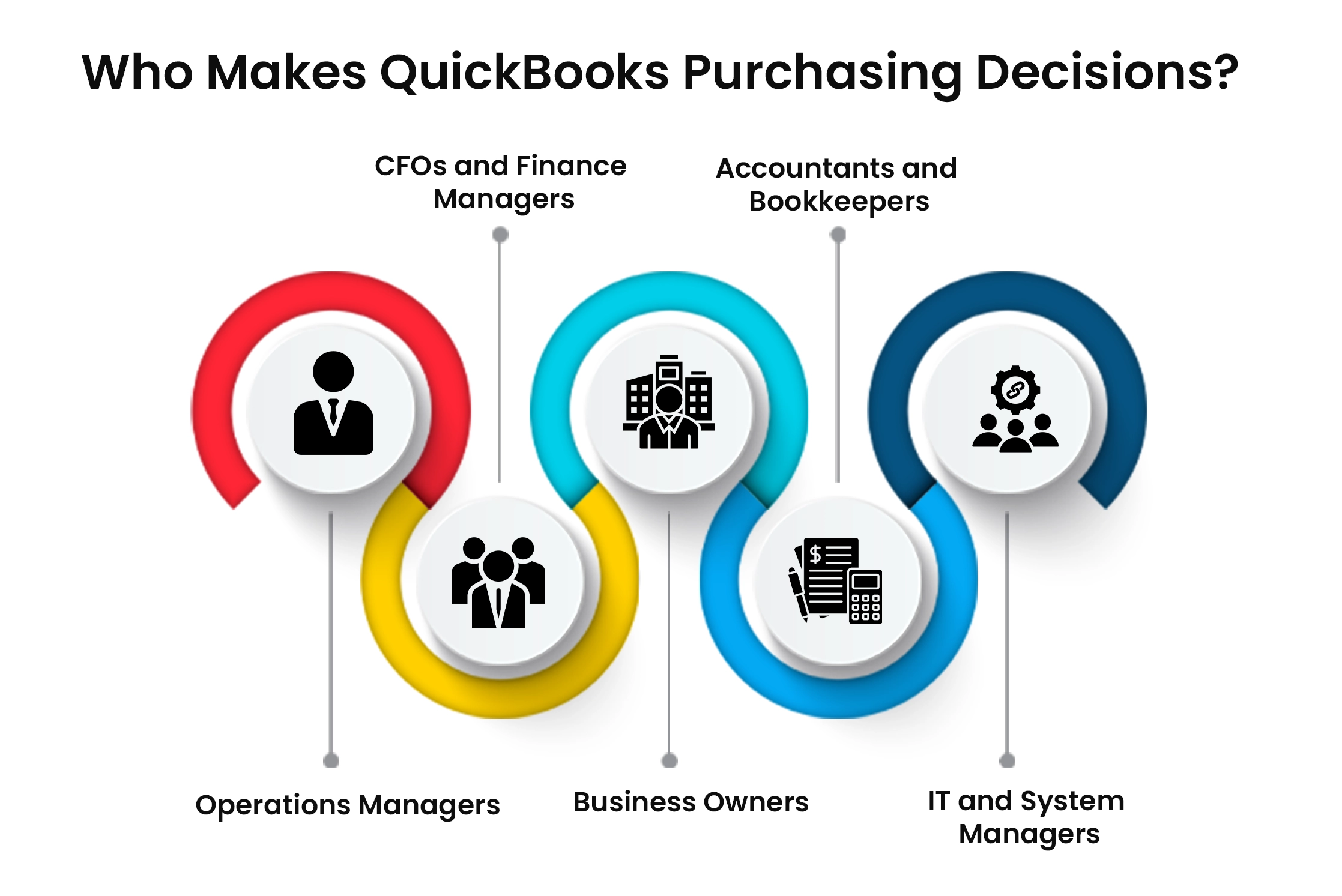
Business owners
Founders and CEOs are constantly hunting for tools and software to manage expenses, purchases, payments, and cash flow. They tend to invest in tools that provide a transparent picture of the company’s financial health without having to direct their time or energy to accounting. Thus, paving the way for informed financial decision-making.
CFOs and finance managers
These are the core members of a company, working directly with finance reports, controls, and automation, along with access to financial data. It can be challenging for them to document and keep track of every financial transaction. QuickBooks supports teams through automated workflows by eliminating manual tasks, generating custom reports, managing dashboards and user permissions, and enabling teams to delegate tasks effectively.
Accountants and Bookkeepers
Manual bookkeeping may lead to frequent calculation errors and a lack of real-time financial insights. QuickBooks Online Accountant helps accounting professionals maintain client books and profiles in a single platform. It can help access client data remotely, sync bank accounts, automate routine accounting tasks, and review financial reports. This allows accountants to devote more time to high-value client work.
Operations managers
Operations teams may observe how accounting connects with sales, payroll, expenses, and inventory. They focus on keeping workflows organized and reducing manual work as much as possible. QuickBooks lets businesses assign access by role, allowing employees to work with the information they need without giving everyone access to everything.
IT and system managers
IT teams may struggle to manage access manually without a system with clear user permissions, increasing the risk of giving employees access to financial information they don’t need. QuickBooks offers role-based permissions, making it easier to control access as team sizes grow.
How to Evaluate QuickBooks Customer Data?
When evaluating QuickBooks customer data, start with the company’s name, industry, location, revenue, employee size, and decision-maker information. Infoclutch’s QuickBooks Users list can be filtered by these details, helping you identify companies that fit a particular B2B profile. With 70+ filters, 95% data accuracy, and a 45-day refresh cycle, the database makes it easier to refine and maintain a targeted list.
Now verify the QuickBooks users through QuickBooks’ own customer stories. These primary sources confirm the company, highlight the QuickBooks products used, explain how they solved the challenges they had been dealing with, and report the benefits the customer achieved.
The Bottom Line
QuickBooks is prominently used for accounting, financial, and business needs, from invoicing and payroll to inventory, project costing, and generating financial reporting. Based on workflows and size, businesses may choose QuickBooks Online, Online Advanced, Desktop Enterprise, or connected products. To ensure accurate customer research, vendors should verify the company, the QuickBooks product, and specific use case and verification data using reliable sources. Compiling QuickBooks customer information, including company and decision-maker details, can help vendors find relevant prospects and launch targeted B2B campaigns.
Get your hands on the QuickBooks Users list today!
Frequently Asked Questions
How many companies use QuickBooks?
QuickBooks estimates that more than 533,000 small businesses manage payroll and invoices on their platform.
What types of businesses typically use QuickBooks?
Companies that use QuickBooks are usually small and mid-sized growing businesses across construction, retail, food and beverage, media, and professional services industries.
How can I get a list of companies using QuickBooks?
You can access a verified QuickBooks Users list through Infoclutch, which includes company name, email address, phone number, employee size, revenue, industry, and 70+ filters. The database features 95% data accuracy and a 45-day refresh cycle. The data is ethically sourced and is GDPR compliant.